
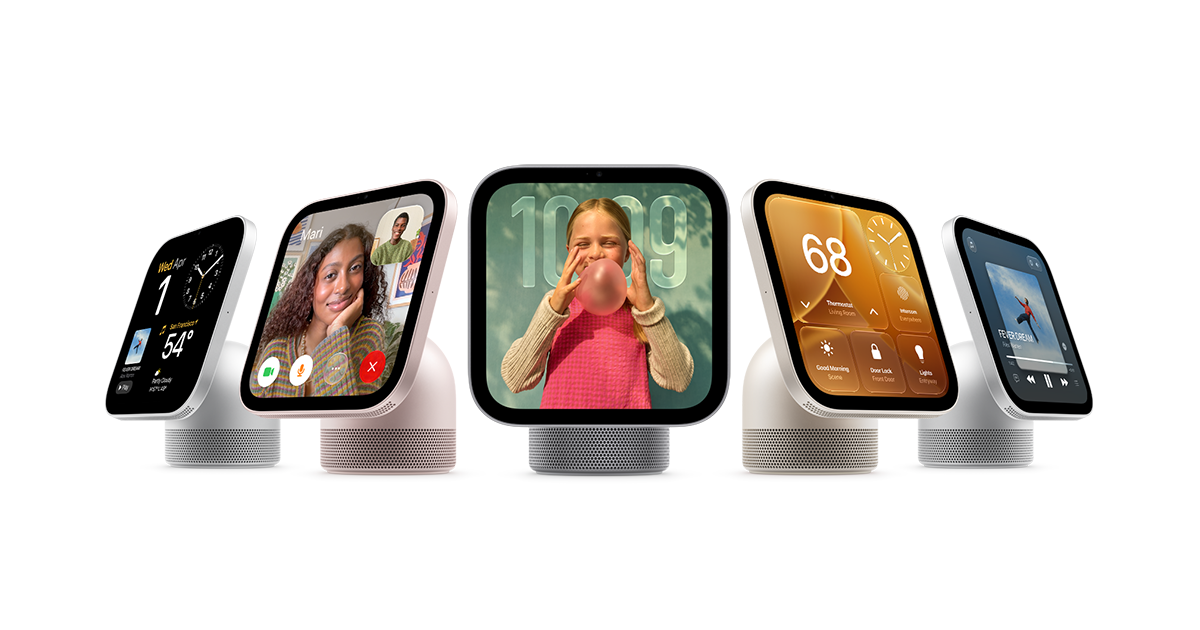
Apple has quietly built out a library of support documents for HomeView, its new smart display, and the pages offer the clearest picture yet of how the device decides who is allowed to see what. Most of the guides are dated November 12, around the time the product began shipping.
Who HomeView recognizes
According to Apple, HomeView identifies people by face and by voice, and the face-recognition data is processed on the device itself rather than being shared with Apple or with apps. When the display does not recognize someone, Apple suggests facing the camera with nothing covering it, keeping the lens clean, using even front lighting and removing sunglasses.
After several failed attempts, the display temporarily switches face recognition off as a security measure. Apple says that is not a hardware fault. At that point, users can tap "Use Personal Device" and approve the request on a nearby iPhone, iPad or Apple Watch signed in to their Apple Account.
Owners, admins, residents and guests
The guides describe four roles. Only the Resident (Owner) can set up HomeView, add people or change every setting, including erasing the device. Admins get most of those management rights. Residents can create a profile, switch personal content on or off and update their face and voice recognition, while guests are limited to apps that do not need a sign-in and basic display and volume controls.
Apple says personal content such as messages, calendars and email appears only for recognized users, and it also requires a recently unlocked paired iPhone or iPad on the same Wi-Fi network. For now HomeView supports English only, with Spanish listed as coming.
Power, restore and repair
The standard HomeView needs a USB-C adapter of at least 30W that supports 15V at 2A or higher. The wall-mounted model uses a separate cable and adapter, sold separately, rated for at least 20W at 9V and 2.22A or higher. If the software update fails, Apple says a restore from a Mac or PC takes 30 to 50 minutes and erases the Clock Face and screen settings, while iCloud keeps face and voice profiles so setup can skip those steps.
For service, Apple describes both an Express Replacement Service, which it calls an AppleCare benefit that is not available in every country or region, and a send-in option. Customers who use Express Replacement face a card hold that is released once the original unit is received and confirmed as covered, and charged if it is not returned within 10 business days. The pages do not list repair prices.
9to5Mac first highlighted the new documents.

0 comments